
Car Technology Ratings Explained for NZ Buyers
Learn what car technology ratings really mean for NZ buyers, from CarPlay and Android Auto to EV apps, OTA updates, and everyday usability.
A car’s technology features rating is a quick way to judge how modern, useful, and easy to live with its cabin tech really is. For New Zealand buyers, that matters because the difference between a basic radio and a well-sorted infotainment system can affect everything from your daily commute to charging-stop planning on a South Island road trip.
What Goes Into the Rating
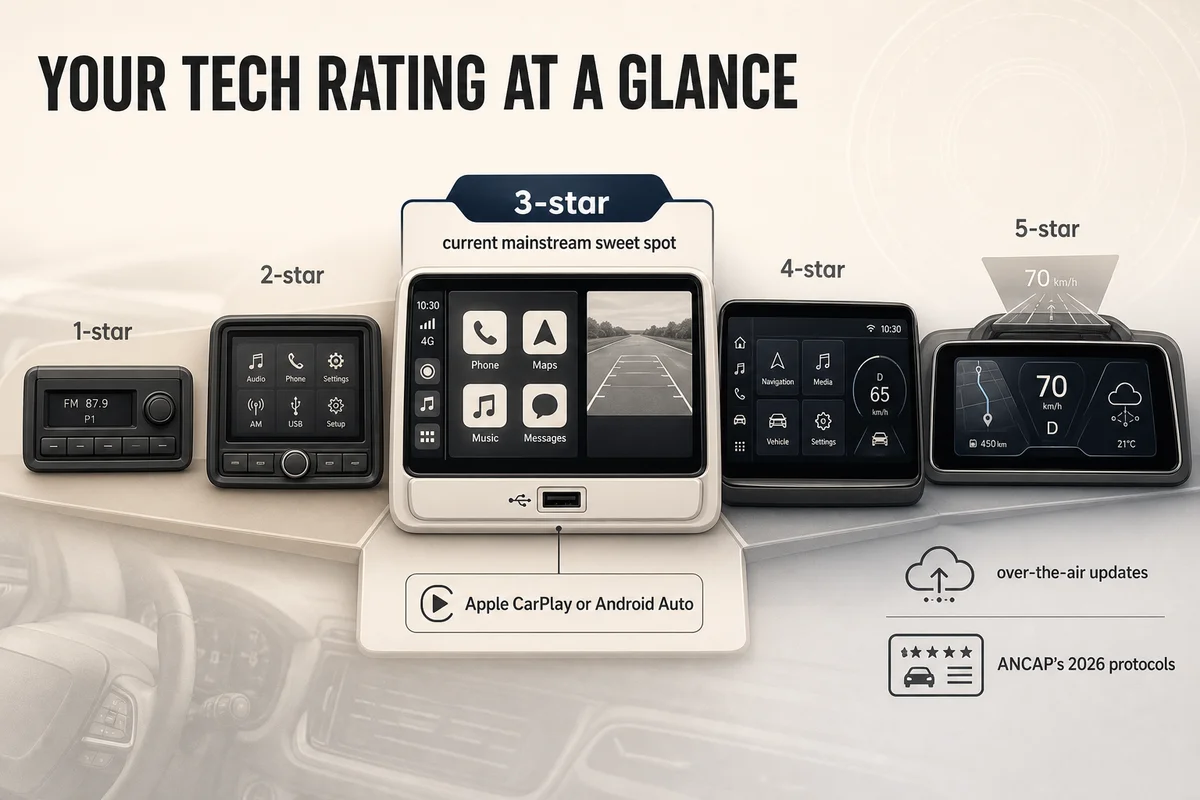
This rating looks at the parts of in-car tech you will actually use, not just flashy showroom tricks. At the lower end, a 1-star car is likely to have a simple audio unit, limited connectivity, and little more than Bluetooth calling if you are lucky. At the top end, a 5-star car usually combines a large, clear touchscreen, high-quality graphics, smartphone integration, connected services, over-the-air software updates, and extra hardware such as a head-up display or full digital instrument cluster.
A 2-star car tends to have a small touchscreen or a dated interface, but misses features many buyers now expect. That often means no Apple CarPlay or Android Auto, patchy menu design, few charging ports, and weak voice control. A 3-star car is the current mainstream sweet spot, with a touchscreen, Bluetooth, USB ports, reversing camera, and smartphone mirroring through Apple CarPlay or Android Auto, which remain core features for many drivers because they bring familiar navigation, music, calls, and messaging into the car. (android.com)
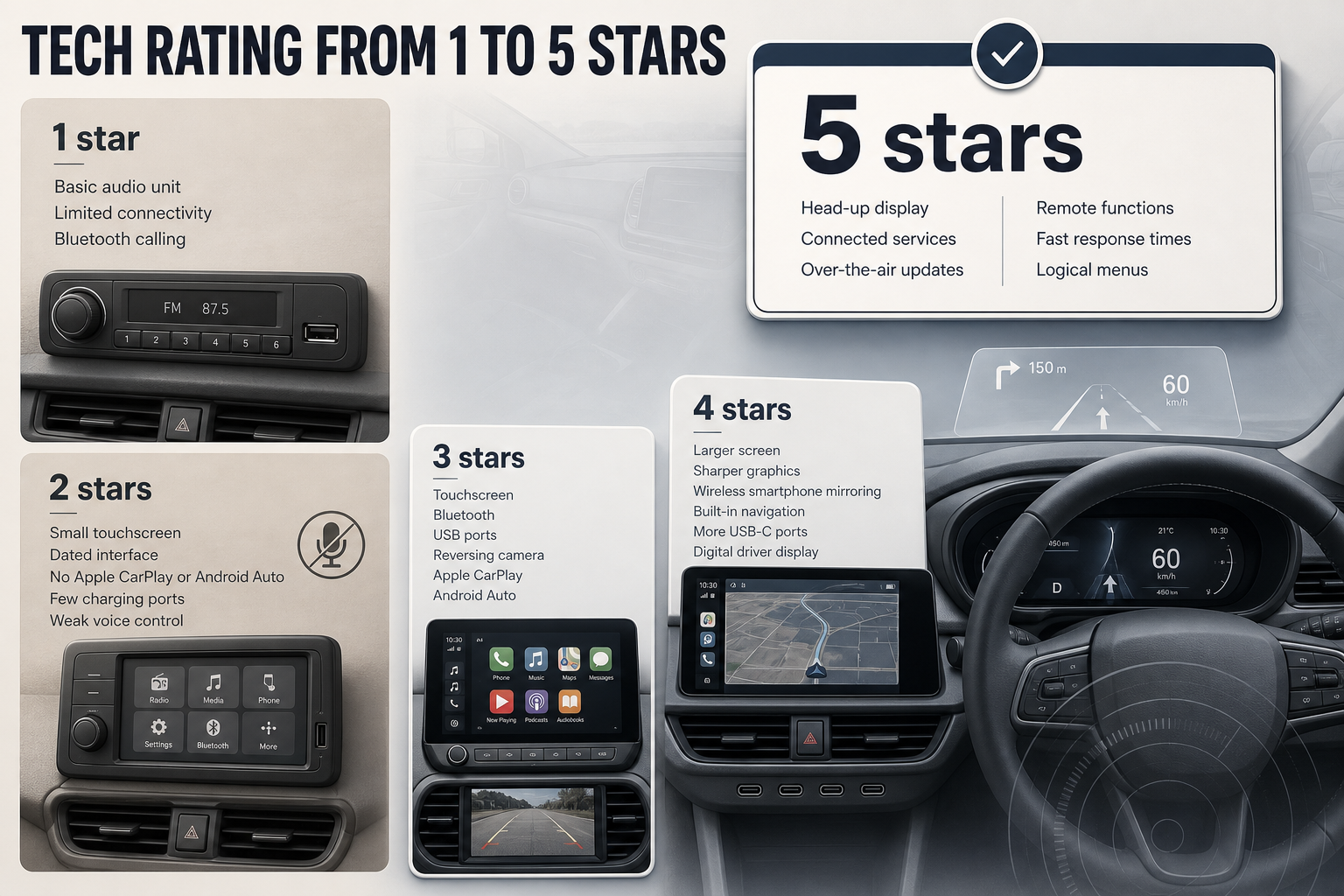
A 4-star car goes beyond the basics. You are usually getting a larger screen, sharper graphics, wireless smartphone mirroring, built-in navigation, more USB-C ports, better steering-wheel controls, and often a digital driver display. Wireless CarPlay and wireless Android Auto are not universal across all vehicles, but where they are fitted they make short trips much easier because you can leave your phone in your pocket or on the charging pad. (android.com)
A 5-star system adds the sort of features that make the cabin feel genuinely advanced rather than merely current. Think a crisp digital instrument cluster, a useful head-up display, app-based remote functions, live connected services, and software that can be improved through over-the-air updates. The best examples also have fast response times, logical menus, and voice control that works without forcing you to repeat yourself. Those details matter more than screen size alone.
What Separates 1 Star From 5 Stars?
The jump from 1 star to 5 stars is not just about having more screens. It is about how well the technology supports driving and ownership.
A 1-star setup is basic transport. You may get radio, a monochrome display, and maybe a USB port. There is little integration with your phone, and the system can feel old even in an otherwise tidy used car. That may be perfectly acceptable in a cheap runabout, a farm hack, or a second vehicle that only does short local trips.
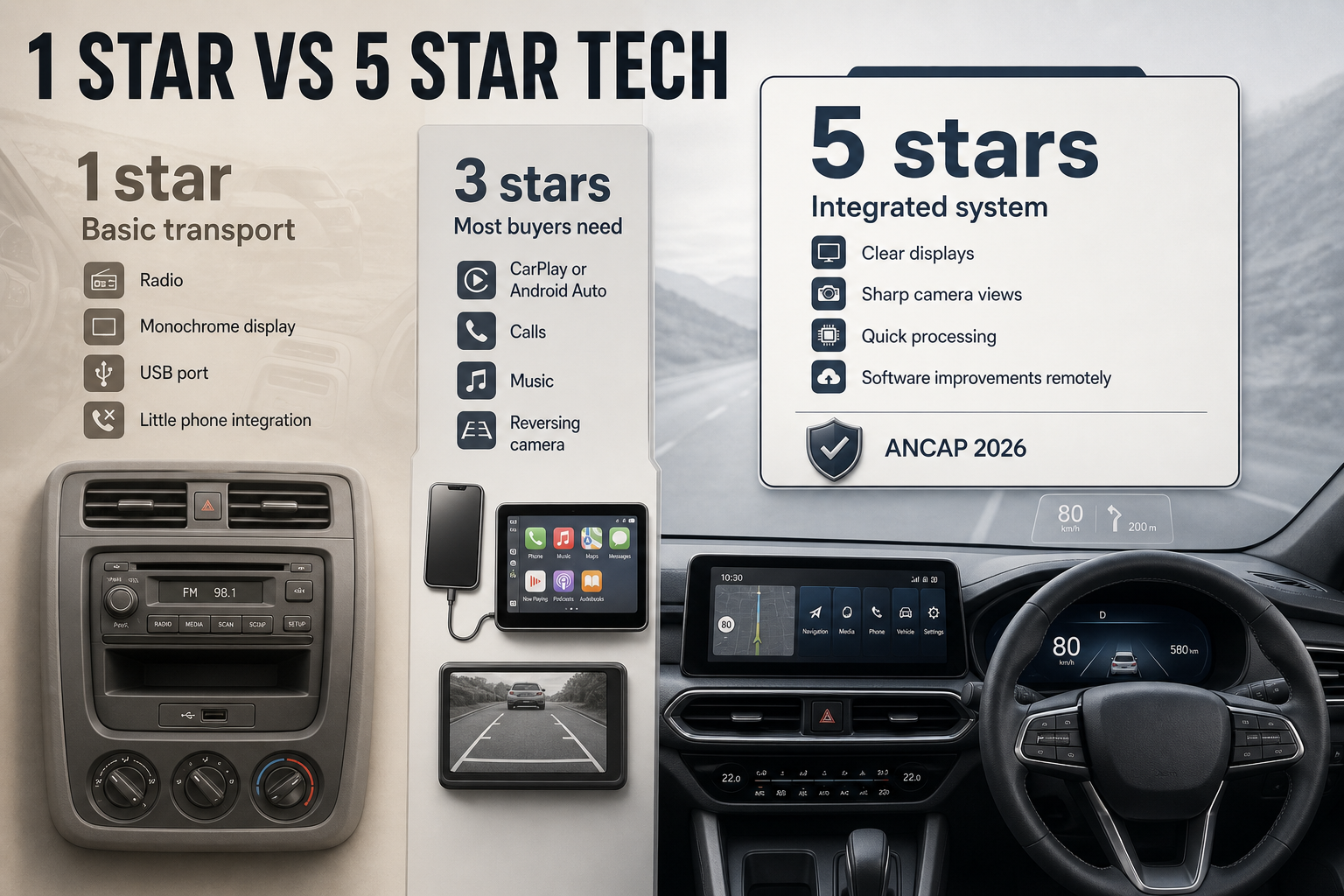
A 3-star setup covers what most NZ buyers need. If you can plug in or pair your phone, use CarPlay or Android Auto, take calls safely, stream music, and see a reversing camera clearly, the car is doing the essentials well. For many people in Auckland, Wellington, or Christchurch, that is enough. Using your phone’s maps through the car screen is often more useful than relying on an older built-in sat nav database. (android.com)
A 5-star setup feels integrated. The displays are clear in bright sunlight, the camera views are sharp, the processing is quick, and the vehicle can often receive software improvements remotely. ANCAP’s 2026 protocols continue to put growing emphasis on technology that supports safety before, during, and after a crash, which is a reminder that cabin tech is not just entertainment. Good displays, clear warnings, and well-designed driver information can help reduce distraction and improve usability. (ancap.com.au)
What to Look For
Start with the features you will use every week. If you rely on Google Maps, Apple Maps, Spotify, podcasts, or hands-free calling, smartphone integration should rank near the top of your checklist. A car with wired CarPlay or Android Auto is still a solid buy, but wireless connection is more convenient if you do lots of short urban trips or school runs. (android.com)
Then look past the brochure headline features and test the system properly. Screen size matters, but speed matters more. Tap through menus, pair your phone, try the reversing camera, and check whether climate controls are buried in the touchscreen. A large display is not an upgrade if basic functions take three taps and a glance away from the road.
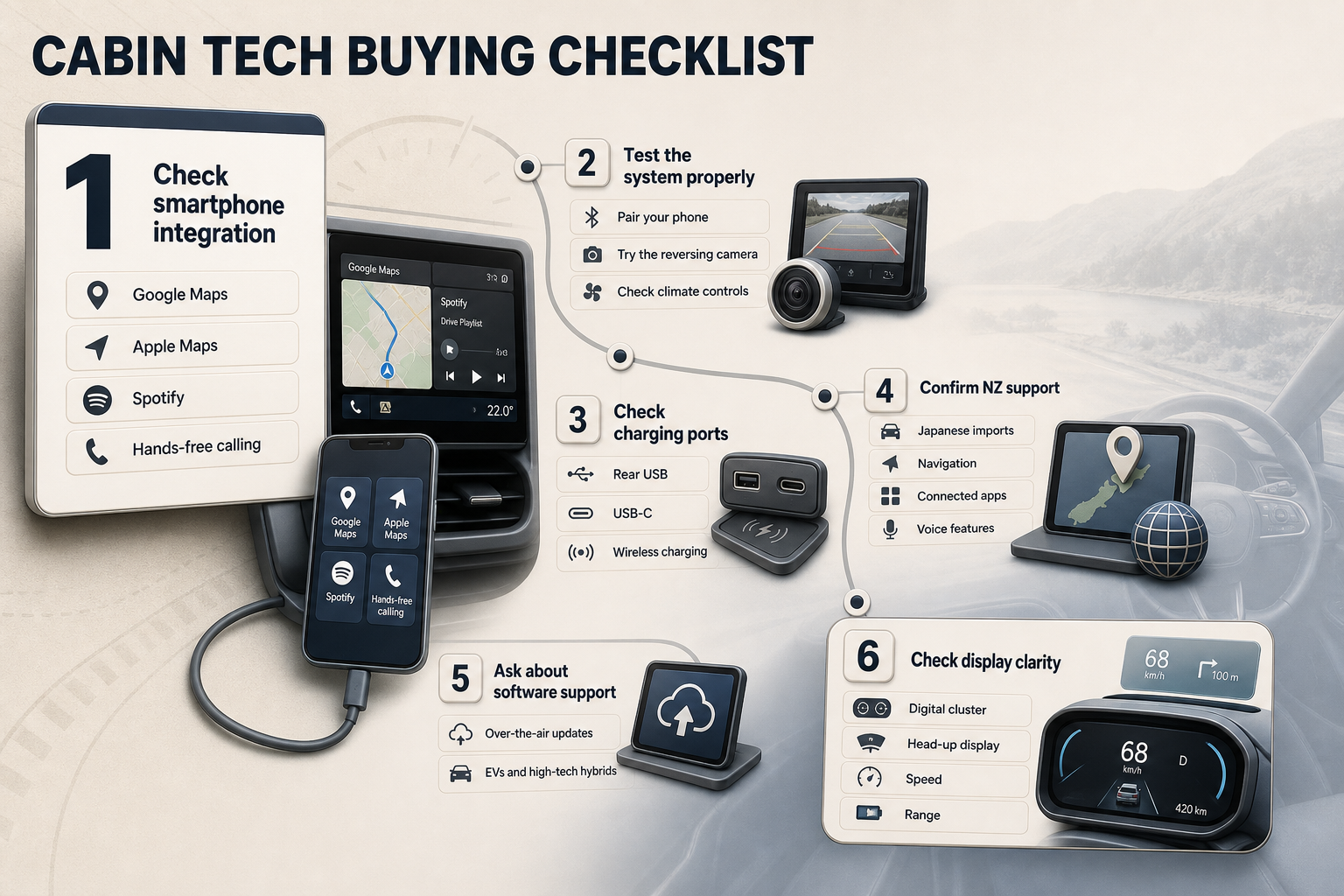
Check the port layout too. Many buyers focus on the front seats and forget the rest of the cabin. If you carry kids, friends, or workmates, rear USB or USB-C ports can make a real difference. Wireless charging is handy, but it is not a substitute for reliable wired charging, especially on longer trips where navigation and streaming can heat the phone and drain the battery.
For used cars, ask whether all connected functions still work in New Zealand. Some imported vehicles have impressive hardware but limited local support for navigation, connected apps, or voice features. This is especially relevant with Japanese imports, where the original infotainment system may be locked to Japan-market services or maps. In those cases, a car with a simpler but locally usable aftermarket head unit can be easier to live with than a factory system full of features you cannot access.
Software support is another big one. Over-the-air updates can improve infotainment, charging management, and interface stability on some newer vehicles, especially EVs and high-tech hybrids. If you are buying near-new, ask the dealer whether the car receives OTA updates in NZ, how often they arrive, and whether any subscription is required for app-based services. (ancap.com.au)
Driver display quality also deserves more attention than it gets. A digital cluster is not automatically better than analogue dials. What matters is clarity. You want speed, range, fuel use, and warning information presented cleanly and without clutter. A good head-up display can be genuinely useful on open-road drives because it keeps speed and nav prompts in your line of sight, but a gimmicky one with poor brightness or too much information is less helpful.
NZ Context
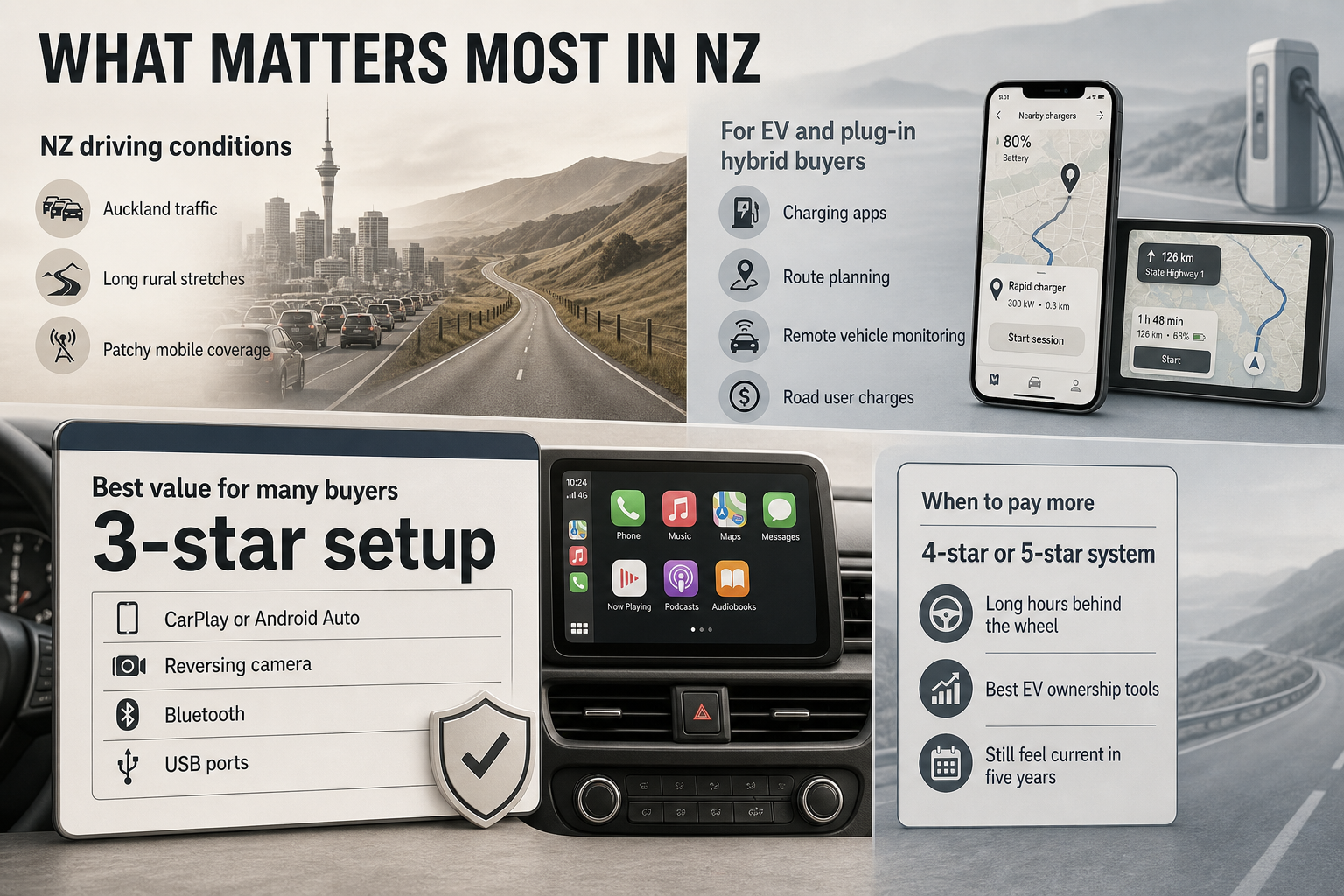
New Zealand conditions shape what good in-car tech looks like. Our roads vary wildly, from stop-start Auckland traffic to long rural stretches, alpine routes, chipseal back roads, and patchy mobile coverage. That means reliable smartphone mirroring, easy offline navigation options, and simple controls often matter more than flashy graphics.
If you are shopping for an EV or plug-in hybrid, technology quality matters even more. Charging apps, route planning, battery pre-conditioning controls, and remote vehicle monitoring can make ownership easier, especially outside the main centres. This sits alongside New Zealand’s road user charges regime, which applies to light EVs and plug-in hybrids, so digital trip and distance information can be useful for keeping on top of running costs and odometer-based charging obligations. (nzta.govt.nz)
You should also think about distraction. NZ’s open roads demand attention, and a poor interface can be tiring on a longer trip from Hamilton to Wellington or Christchurch to Queenstown. A simpler 3-star system with physical shortcut buttons may be safer and less annoying than a 5-star system that tries to do everything through layered menus.
For family buyers, reversing cameras and clear parking sensors are now close to essential, but the best systems also give you easy access to child-seat-related settings, rear occupant reminders, and useful camera views. Safety ratings and technology ratings are not the same thing, but there is overlap in the way modern vehicles present warnings, assist the driver, and reduce confusion. ANCAP remains the key safety reference point for new cars sold in New Zealand and Australia, and its evolving protocols reflect the growing role of in-car technology in overall vehicle design. (ancap.com.au)
New Zealand buyers should also be realistic about value. You do not need a 5-star tech score for every use case. If you want a dependable hatch for commuting and supermarket runs, a 3-star setup with CarPlay or Android Auto, a reversing camera, Bluetooth, and a couple of USB ports is often the smartest buy. Save the premium for a 4-star or 5-star system if you spend long hours behind the wheel, want the best EV ownership tools, or simply care about having a cabin that will still feel current in five years.
You may also be interested in these independent articles
Sources
- [1]NZ Transport Agency Waka Kotahi: RUC for electric vehicles
- [2]NZ Transport Agency Waka Kotahi: Electric vehicles subject to RUC from 1 April 2024
- [3]NZ Transport Agency Waka Kotahi: Road user charges handbook
- [4]Android: Drive with Android Auto
- [5]Apple Support: Connect iPhone to CarPlay
- [6]ANCAP: Safety before, during and after a crash: New gen rating approach from 2026
- [7]NZ Transport Agency Waka Kotahi: Buying a car?
© 2026 pyfoi. All rights reserved.